
Last updated on
Nov 6, 2026

Get the free California Pre-Tax Parking Claim Form
We are not affiliated with any brand or entity on this form

Fill out
Complete the form online in a simple drag-and-drop editor.

eSign
Add your legally binding signature or send the form for signing.

Share
Share the form via a link, letting anyone fill it out from any device.

Export
Download, print, email, or move the form to your cloud storage.
Why pdfFiller is the best tool for your documents and forms


End-to-end document management
From editing and signing to collaboration and tracking, pdfFiller has everything you need to get your documents done quickly and efficiently.
Accessible from anywhere
pdfFiller is fully cloud-based. This means you can edit, sign, and share documents from anywhere using your computer, smartphone, or tablet.
Secure and compliant
pdfFiller lets you securely manage documents following global laws like ESIGN, CCPA, and GDPR. It's also HIPAA and SOC 2 compliant.
What is CA Parking Claim Form
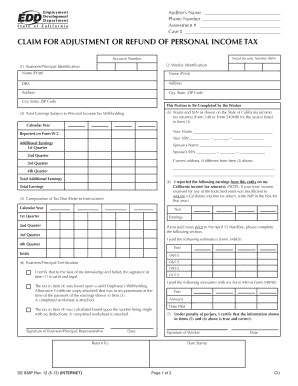
The California Pre-Tax Parking Claim Form is an expense report form used by employees to claim reimbursement for parking expenses incurred during state employment.
pdfFiller scores top ratings on review platforms




Great product.
Good interface gives you all the options you need in one place. Clear and easy to understand. The only downside is remembering its a browser only interface, remembering the product name and having to navigate to the URL to begin. Not an issue for a daily user, but if you use only intermittently like I do, I have to make myself a reminder. To that end, I think its a little expensive for a casual user; but I do still like the interface so much that it overrides my concern on cost.
One time using pdfFiller the first time…
One time using pdfFiller the first time saved me time doing a very basic operation (checking off fields when I was entering information from forms into another program). I have used the other program for over 15 years but recently moved from a PC to MacBook Pro. The program for Mac is harder to use than the PC product. I have spent too much time and frustration with that program. After one use, I had to spend much less time with little frustration. I hope it continues as I using pdfFiller
Who needs CA Parking Claim Form?
Explore how professionals across industries use pdfFiller.

CA Parking Claim Form is needed by:
-
California state employees seeking parking reimbursements.
-
HR departments managing employee expense claims.
-
Financial departments processing budget allocations for employee parking.
-
Employees needing to report and claim pre-tax parking expenses.
-
Accountants preparing financial statements related to employee expenses.
Comprehensive Guide to CA Parking Claim Form
What is the California Pre-Tax Parking Claim Form?
The California Pre-Tax Parking Claim Form, also known as the DPA 681 form, is a crucial document for employees in California. This form allows employees to claim reimbursement for parking expenses incurred while working. The significance of this form lies in its ability to provide employees a means of financially managing their transportation costs.
Typically, the California parking reimbursement form is used by state employees who wish to submit expenses related to their daily commutes, ensuring they receive the financial relief they deserve.
Purpose and Benefits of the California Pre-Tax Parking Claim Form
The primary purpose of the California Pre-Tax Parking Claim Form is to streamline the process through which employees can claim their eligible parking expenses. By utilizing the pre-tax parking expense form, employees benefit from reducing their taxable income, leading to significant financial savings.
Pre-tax benefits not only ease the burden of commuting costs but also encourage employees to utilize available resources for minimizing their expenses. This contributes to increased job satisfaction and overall financial wellness.
Key Features of the California Pre-Tax Parking Claim Form
The DPA 681 form includes several essential components necessary for processing claims. Key features of the form include:
-
Required personal information such as employee name and social security number
-
Details of parking dates claimed and amounts
-
Official receipts supporting the claim
-
Required signature for validation
Each component plays a significant role in ensuring that claims are legitimate and processed efficiently, demonstrating the importance of accuracy and thoroughness when filling out this form.
Who Needs the California Pre-Tax Parking Claim Form?
Eligibility for submitting the California Pre-Tax Parking Claim Form generally extends to full-time employees who incur parking expenses while performing their job duties. It’s important to be aware of state-specific regulations that may dictate who is required to use this form.
Understanding these criteria helps ensure compliance with local rules and makes the submission process more straightforward for valid claimants.
How to Fill Out the California Pre-Tax Parking Claim Form Online
To facilitate the online completion of the California Pre-Tax Parking Claim Form, follow these steps:
-
Access the form using pdfFiller's platform.
-
Input personal information as required in the designated fields.
-
Fill in the parking dates and amounts accurately.
-
Attach scanned copies of official receipts before submission.
-
Review the completed form for any errors or omissions.
Common errors to avoid include misplacing decimal points in amounts and failing to provide all necessary receipts, as these can lead to processing delays.
Required Documents and Supporting Materials
When submitting the California Pre-Tax Parking Claim Form, several documents must accompany the claim. Required documents include:
-
Official parking receipts
-
Completed California Pre-Tax Parking Claim Form
-
Any additional employer-specific forms as needed
Having these supporting materials is crucial for a successful submission and to ensure the claim is processed without unnecessary delays.
Submission Methods for the California Pre-Tax Parking Claim Form
Submitting the completed California Pre-Tax Parking Claim Form can be accomplished through several methods:
-
Emailing the form to the designated agency
-
Submitting the form through an online portal (if available)
-
Mailing a physical copy to the appropriate address
It's vital to be aware of any associated fees for submission, along with deadlines for filing claims and the expected timeline for processing.
What Happens After You Submit the California Pre-Tax Parking Claim Form?
After submission, your claim will go through a series of processing steps. Typically, you can expect:
-
A review of the submitted documents for completeness
-
Notification of any required corrections or confirmations of acceptance
-
An estimated timeframe for reimbursement once the claim is approved
Understanding these steps ensures you maintain awareness of your application status throughout the process.
Security and Compliance When Using the California Pre-Tax Parking Claim Form
When handling the California Pre-Tax Parking Claim Form, security and compliance are paramount. pdfFiller employs 256-bit encryption to protect your sensitive information.
Moreover, the platform adheres to regulations such as GDPR and HIPAA, ensuring that users’ data remains private and secure throughout the filling and submission process.
Why Choose pdfFiller for Your California Pre-Tax Parking Claim Form Needs?
Using pdfFiller for completing the California Pre-Tax Parking Claim Form offers numerous benefits. The platform simplifies the filling and submission processes by providing easy-to-navigate tools that allow for quick editing and signing.
With features designed for user efficiency, pdfFiller ensures that you can manage your claims securely and effortlessly, ultimately enhancing your experience while handling important documents.
How to fill out the CA Parking Claim Form
-
1.Access the California Pre-Tax Parking Claim Form on pdfFiller by searching for 'California Pre-Tax Parking Claim Form' in the search bar.
-
2.Once opened, navigate through the document using the fillable fields highlighted in blue.
-
3.Prepare to fill in the required information by having your personal data, including your name, social security number, and daytime phone number, at hand.
-
4.Start by entering your 'Employee Name' in the designated field, followed by your social security number and other personal details.
-
5.Fill out the address section, ensuring your 'Street Address', 'City, State, ZIP Code' are accurate and complete.
-
6.Enter the specific 'Parking Dates Claimed' and the total 'Amount' you are claiming for reimbursement.
-
7.It's crucial to attach and reference any official receipts in your submission as supporting documents.
-
8.After filling in all required fields, review all information entered carefully to avoid any mistakes.
-
9.Once confirmed, ensure your signature is affixed in the designated area.
-
10.To submit, save your changes and download the completed form, or directly submit it via pdfFiller's submission options if available.

Who is eligible to submit the California Pre-Tax Parking Claim Form?
California state employees who incur parking expenses during their employment are eligible to submit this form for reimbursement.
What information do I need to complete the form?
You will need your personal information, including your social security number, parking dates, amounts claimed, and supporting receipts.
How do I submit the completed California Pre-Tax Parking Claim Form?
After completing the form, you can either print and mail it to the specified address or use pdfFiller's submission options if available.
Are there any deadlines for submitting the form?
Yes, it's essential to check your HR policies as deadlines for submission might vary. Typically, submissions should be made promptly after incurring expenses.
What are common mistakes to avoid when filling out the form?
Common mistakes include forgetting to sign the form, not providing adequate receipts, and leaving required fields incomplete.
What is the processing time for reimbursement after submission?
Processing times can vary, but it's generally a few weeks. Check with your HR department for specific timelines based on your organization.
Can the form be notarized?
No, the California Pre-Tax Parking Claim Form does not require notarization; it only requires the employee's signature for submission.
Related Content
Related Forms




Get the latest insights from our blog


If you believe that this page should be taken down, please follow our DMCA take down process
here
.
This form may include fields for payment information. Data entered in these fields is not covered by PCI DSS compliance.